PPC budget management tools: what to look for and how to choose
By Brad | 0 comments July 28, 2026
Categories
48% of PPC advertisers still track budgets manually. That’s a lot of spreadsheets, routine checks, and room for mistakes.
Managing PPC budgets is two problems at once. You need to keep spend under control, and you need to make sure budgets are being allocated to the campaigns with the best performance. The more accounts you manage, the harder both get.
Miss the first problem, and budgets run out before the month ends, or your campaigns never get steady spend to work with. Miss the second, and your best performers lose out while weaker campaigns sit on unused budget, or worse, waste money through underperformance.
A good PPC budget management process solves both problems. This article looks at the options available, what to look for before you choose, and how to decide what automation is right for your accounts.
What is PPC budget management?
PPC budget management means setting, tracking, and optimizing your ad spend. The goal is to get the best return on your budget, whether you measure that in leads, revenue, or something else.
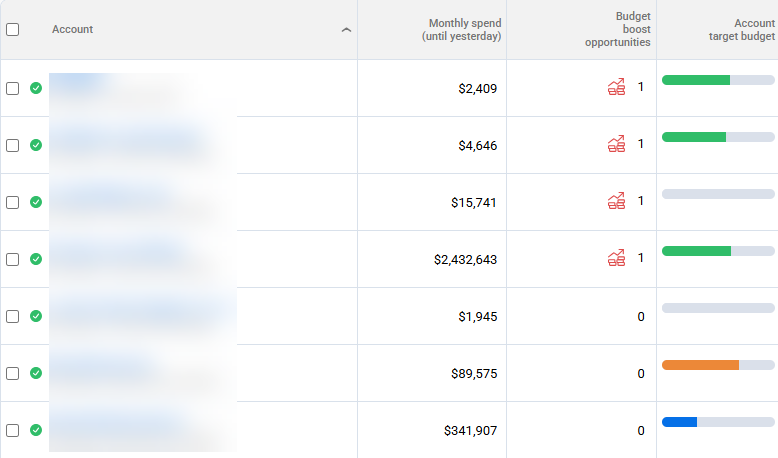
It includes checking spend during the month to work out if you’re likely to over- or undershoot. It also means finding campaigns that could do more with extra budget. You can then move money away from the ones that aren’t using it well.
What are your options?
48% of advertisers use spreadsheets and free reporting tools like Looker Studio to manage budgets. The rest split across a range of methods, from basic platform settings to dedicated software:
Spreadsheets
Cost: Free or included with your existing software
Pros: Flexible and familiar
Cons: Manual updates, no alerts, and errors are easy to make
Best for: Smaller accounts with simple budgets and regular manual reviews
Ad platforms
Cost: Free
Pros: No setup outside the platform
Cons: Google can spend 2x your daily budget, and you can’t easily prioritize spend across campaigns
Best for: Advertisers with simple account structures and flexible spending targets
Scripts
Cost: Free, excluding setup and maintenance time
Pros: Flexible and able to automate custom checks or changes
Cons: Needs technical skill; testing, updates, and maintenance take time
Best for: Teams with coding resources and specific requirements
PPC budget management tools (like Adalysis)
Cost: Paid plans
Pros: A comprehensive toolset covering analysis, pacing, alerts, and management
Cons: Subscription cost and initial setup
Best for: Teams with larger or more complex budgets that want scalable oversight and flexible automation
You’ll notice AI assistants like ChatGPT, Gemini, and Claude aren’t on this list. Budget management is one of their least popular use cases, because mistakes can be hard to catch, and the risks are high.
AI assistants may be able to help analyze data. But they’re not a reliable system for tracking spend, enforcing limits, or making ongoing budget changes. Espedcially when you’re dealing with hundreds of budgets at once.
What to look for in a PPC budget management tool
A good PPC budget management tool needs to do two jobs well: keep your spend under control, and help you get more from the budget you have. Some tools focus on reporting, while others can recommend or make budget changes. Before you choose, check how well each tool handles these three areas.
Fast and flexible setup
The best setup is one you can configure quickly and maintain without constant manual updates. Look for support at the account, campaign, and campaign-group level.
Here are other options you may find useful to speed up your budget workflow:
- Bulk uploads
- Custom date ranges for promotions and seasonal campaigns
- Scheduling future budgets
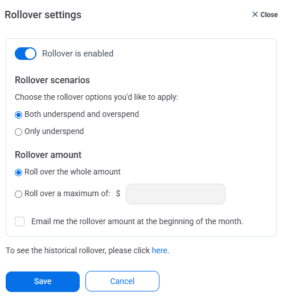
- Rollover for any over- or underspend
Automated pacing and analysis
Pacing should show whether spend is on track and where it’s likely to finish compared to your target. This helps you act before a small gap becomes a missed target.
Check whether you can change the pacing settings to match your needs. A fixed calculation may not work for accounts with different ad schedules, spending patterns, or business goals.
You can save more time than simply replacing spreadsheets with dashboards. Look for these additional options and a choice of automation levels:
- Spend and performance history. You need a clear view of past spend and results to judge whether a budget change worked before making the next one.
- Multi-account overviews, so you can look at all of your accounts at once
- Pacing and spend alerts to send you a heads-up, even if you’ve not logged in to your tool
- Automatically pausing campaigns when they reach a daily or monthly target. And restarting them the next day/at the start of a new month.
- Automatic budget management for teams who want less manual work and have accounts with solid performance data
Budget allocation insights
Keeping spend on track is only half the job. Your PPC budget management software should also help you decide where extra budget could improve results.
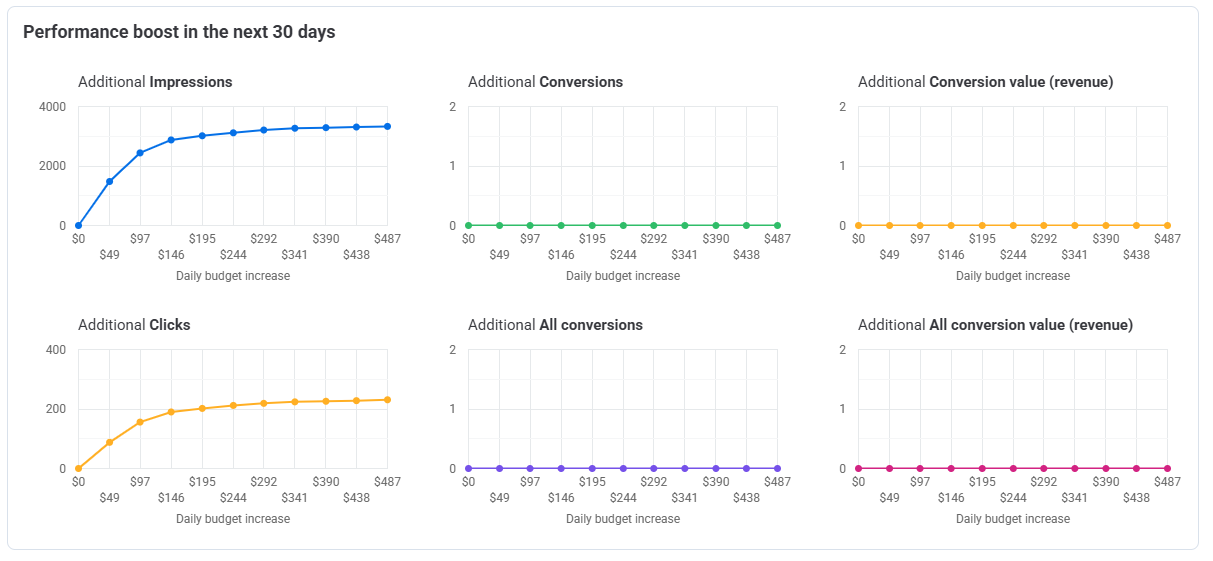
Look for tools that compare spend and performance across campaigns, flag campaigns limited by budget, and show lost impression share. Budget suggestions should reflect your performance goals, not just which campaigns can spend more.
How to choose the right level of automation
There’s no single right answer here. The best setup depends on the account and advertiser preferences, not a fixed rule.
When automation makes sense
- You manage many accounts and want to save time on daily budget checks
- Budget management is taking time away from strategy and optimization
- You have enough performance data to guide budget decisions
When to be cautious
- You have a new campaign with little or no performance history. Automated decisions are only as good as the data behind them.
- You don’t have enough data for your specific goal. A “maximize conversions” goal, for example, needs enough conversion volume to work with.
- Aggressive adjustment settings interfere with Google’s automation. For smart bidding campaigns, keep the max. percentage change low and limit the update frequency. This avoids pushing your campaign into a new learning phase.
Before handing over daily budget management, check the tool’s own recommendations first. Look at the budget suggestions and pacing projections. If they line up with what you’d expect for the account, that’s a good sign the automation has enough reliable data to work from.
What you get with Adalysis
Adalysis includes a complete set of tools for tracking, planning, and managing PPC budgets. Use individual features as needed, or combine them as suits your workflow.
Budget pacing
Track spend against targets at the account, budget-group, or campaign level. Adalysis shows current pacing and projects daily and cumulative spend, accounting for historical patterns, seasonality, ad schedules, and recent budget changes.
Pacing alerts and auto-pause
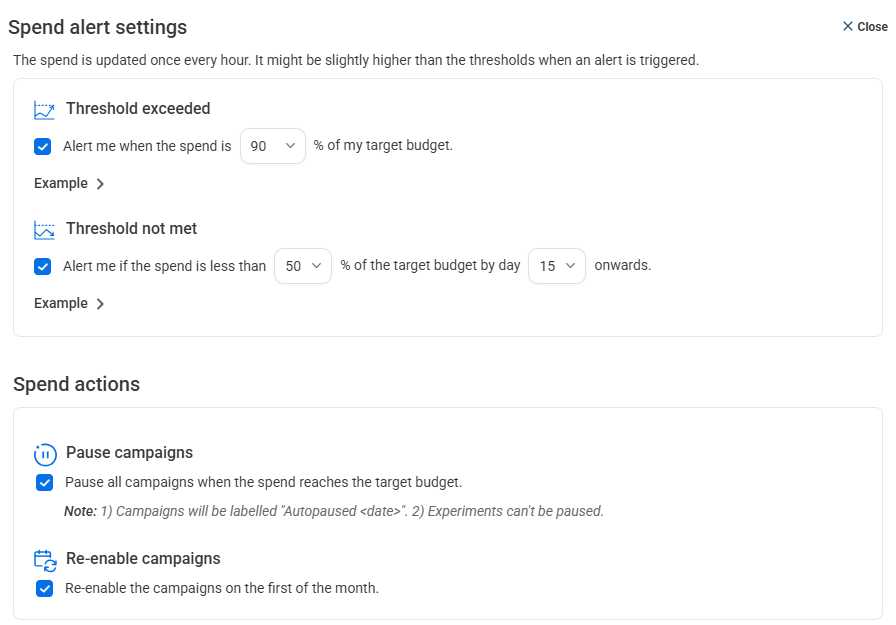
Get alerts when a budget is likely to over- or underspend. You can make changes yourself or automatically pause campaigns when they reach your target. Campaigns then restart at the start of the next budget cycle.
Daily stop
Adalysis checks spend throughout the day and pauses campaigns when they reach the daily budget limit. They restart the following day.
Auto manage
For accounts with a solid performance history, Auto manage can make daily budget changes automatically. You can also limit the maximum percentage change and days of the week.
Budget groups
Group related campaigns, such as brand or remarketing campaigns, under a shared target. You can track the group’s combined pacing and manage budget distribution.
Budget analytics and allocation tools
Compare campaign spend and performance, review budget history, and see how previous changes affected results. Budget split suggestions recommend how to allocate spend based on your chosen goal. Boost alerts flag campaigns losing impression share because of budget.
Future targets and rollover
Set monthly targets up to 12 months in advance. You can also create rollovers to carry any under- or overspend into the next budget cycle.
Custom schedule budgets
Create budgets for promotions, seasonal campaigns, or other campaigns with fixed dates.
Bulk budget updates
Upload budgets in bulk, reducing setup time for multiple accounts, groups, or campaigns.
Wrap-up
Automation can feel risky, especially with client budgets on the line. That’s a fair concern. But automation doesn’t have to mean giving up control.
Adalysis lets you choose how much automation you want, and where. Start with alerts and daily stops if you want full visibility before making any changes yourself. Move to Auto manage only when the data backs it up, and set limits on how far it can go. You stay in charge of the guardrails the whole time.
The best way to see if it fits your accounts is to try it. Start a 30-day free trial, or book a demo to see how it works with your setup.
Share around the web







Scale your PPC performance,
not your workload.


Leave a comment